Vista has this neat new security feature that notifies the user when an application is trying to access functionality outside the current user sandbox.
Albeit a bit annoying at times it does serve the purpose of protecting the user from allowing unintended system access to applications.
However, if you are like me and use Visual Studio on a very regular basis this feature (along with the recent VS update) is quite tiresome... and has finally forced me to dig up the solution for disabling this feature. So without further adieu:
From the start menu Start Search box or a command prompt type in: MSConfig
This brings up the System Configuration Tool.
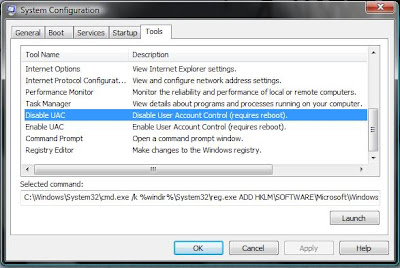
On the far right tab, called 'Tools', there is a list of Tool Names.
Find the list item (shown below) entitled 'Disable UAC'
(To turn the feature back on follow the same steps but use 'Enable UAC' instead... complicated, I know)
Click the 'Launch' button near the bottom right.
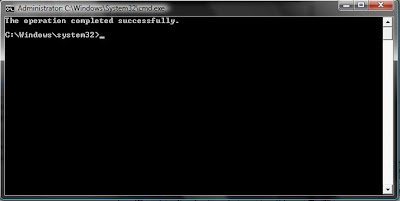
Suffer through the very long half second and you get the following command console notice that, hopefully, the operation completed successfully...
Finally, reboot and enjoy the silence.
